K8S Series Part 00 - Building a Self-Hosted Kubernetes Home Cluster
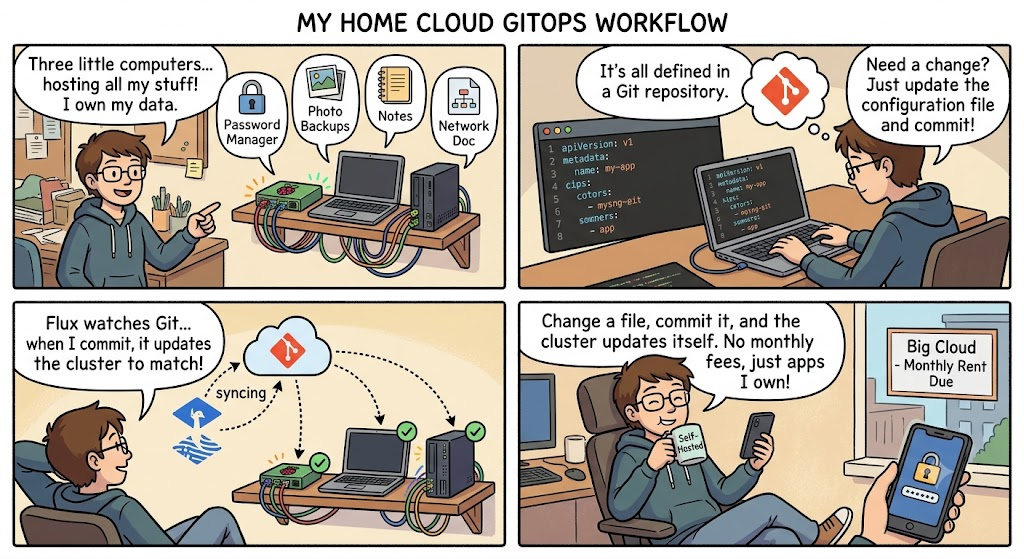
I run a small private cloud at home. Three computers, wired together, hosting my
password manager, photo backups, notes, network documentation, and a handful of other apps I'd rather own than rent. The whole thing is defined in a Git repository and a tool called Flux keeps the cluster matching what's written there - change a file, commit it, and the cluster updates itself.
This series is the long-form version of that story. The README in the repo tells you what I built; these articles explain how and why, from the ground up, in enough detail that you could build something similar.
I'm writing it for two audiences: people who are curious about self-hosting but haven't touched Kubernetes, and people who are deeper in and want the specific patterns I landed on. Half the reason this cluster exists is so I can learn this stack properly, and writing it down is part of that.
Topics covered in this article series
01 ── kubectl: how you actually talk to a cluster (+ troubleshooting)
02 ── GitOps with Flux: deleting the "works on my cluster" problem
03 ── Getting traffic in: MetalLB + ingress-nginx
04 ── TLS and secrets: cert-manager + Sealed Secrets
05 ── Storage: Longhorn and NFS, and why I run both
06 ── Databases done right: CloudNativePG
07 ── Deploying an app the GitOps way (anatomy of an app folder)
08 ── Migrating real workloads & databases off Docker
09 ── Backups & disaster recovery: three layers, three failure modes
10 ── Seeing and exposing the cluster: observability + Cloudflare Tunnels
| # | Blog Article | You'll learn |
|---|---|---|
| 01 | kubectl fundamentals & troubleshooting | How kubectl talks to the API server, the verbs that matter, and a repeatable debugging workflow |
| 02 | GitOps with Flux | What problem GitOps solves, the reconciliation loop, and how my repo is laid out |
| 03 | MetalLB + ingress-nginx | How a request from your browser reaches a pod with no cloud load balancer |
| 04 | cert-manager + Sealed Secrets | Automatic HTTPS for internal hostnames, and committing secrets to Git safely |
| 05 | Longhorn + NFS storage | Replicated block storage vs. shared NFS, and when to use each |
| 06 | CloudNativePG | Running Postgres as a high-availability, self-backing-up operator |
| 07 | Deploying apps the GitOps way | The anatomy of an app folder, file by file |
| 08 | Migrating workloads & databases | The repeatable Docker-to-k3s playbook, including database dumps |
| 09 | Backups & disaster recovery | The three-layer backup model and how a full rebuild works |
| 10 | Observability & external access | Prometheus/Grafana/Alertmanager and outbound-only Cloudflare Tunnels |
Network infrastructure setup these articles describe on a high level
A quick orientation so the examples make sense:
                         my home network
   ┌─────────────────────────────────────────────────────────┐
   │  UniFi UCG-MAX (router / firewall / inter-VLAN gateway) │
   └───────────────────────────┬─────────────────────────────┘
                               │  VLAN 10.10.13.0/24 (cluster)
                   ┌───────────┴────────────┐
                   │  MikroTik CRS310 switch│
                   └─┬─────────┬─────────┬──┘
                     │         │         │
              ┌──────┴──┐ ┌────┴────┐ ┌──┴──────┐
              │ Meatball│ │ Dumpling│ │  Omen   │   ← 3 × Proxmox hosts
              │ k3s-01  │ │ k3s-02  │ │ k3s-03  │     each runs a K3s VM
              └─────────┘ └─────────┘ └─────────┘
                     all three: control-plane + worker
- Distribution: K3s (lightweight Kubernetes) with embedded etcd.
- GitOps: Flux v2, bootstrapped against a GitHub repo.
- Networking in: MetalLB (LAN IPs) + ingress-nginx (hostname routing).
- Networking out (public): Cloudflare Tunnels, outbound-only.
- TLS: cert-manager + Let's Encrypt (DNS-01 via Cloudflare).
- Secrets: Sealed Secrets - encrypted, safe to commit.
- Storage: Longhorn (replicated block) + TrueNAS NFS (shared/bulk).
- Databases: CloudNativePG.
- Backups: Longhorn snapshots → CNPG snapshots → Velero/Backblaze B2.
- Observability: kube-prometheus-stack (Prometheus, Grafana, Alertmanager → Slack).
Throughout the series I use the cluster's real namespaces, IP ranges, and hostnames so the commands are copy-paste-shaped rather than abstract. Where something bit me in practice, I call it out - those scars are usually the most useful part.
Let's start with the tool you'll type a thousand times: kubectl.
Resources
This cluster itself is currently alive and the repo will eventually be made public on my Github
- k3s-safeqbit-local-hq - the repository all of these articles describe
Foundations
- Kubernetes documentation
- K3s documentation - the lightweight distribution this cluster runs
- Flux documentation - the GitOps engine
- CNCF Cloud Native Landscape - the wider ecosystem these tools live in
The self-hosted apps I am currently running as time of writing this article
- Vaultwarden · Authentik · Immich · PhotoPrism · NetBox · AFFiNE · Passzilla / PasswordPusher · Uptime Kuma
So this covers part 00 of this series 😄 hope you found it informative and that you are excited for the next one
Next we start with the tool you'll type a thousand times. In kubectl fundamentals & troubleshooting, we'll look at how you actually talk to a cluster, and how to figure out what's wrong when a pod refuses to start. Stay tuned!