K8S Series Part 08 - Migrating Real Workloads & Databases off Docker
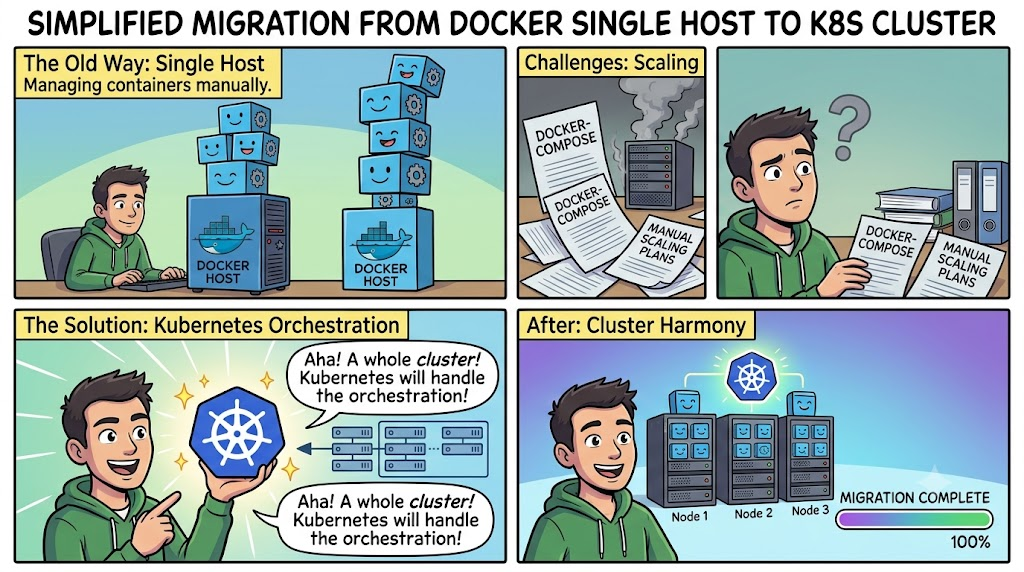
Most of my apps didn't start on Kubernetes. They ran as Docker/Portainer stacks on a standalone host that I previously maintained. Moving each onto the cluster meant transplanting a live app with real data without losing any of it. After doing it a handful of times, it became a repeatable playbook. This article is that playbook, plus the specific mistakes that turned into rules.
The process of migrating my workloads went smoother than I expected it to be for different types of apps I use; Affine contains a lot of precious notes and mind-maps, those notes contain images and markdown files. Netbox contains a lot of documentation of my home network, family networks I stood up and my clients, Authentik is my centralized locally hosted identity provider. I started with Authentik but following the same process for my other workloads, at the time of writing this article, my workloads been long migrated and running on the cluster.
The mental model
A migration is really two separate transplants that most people get mixed up:
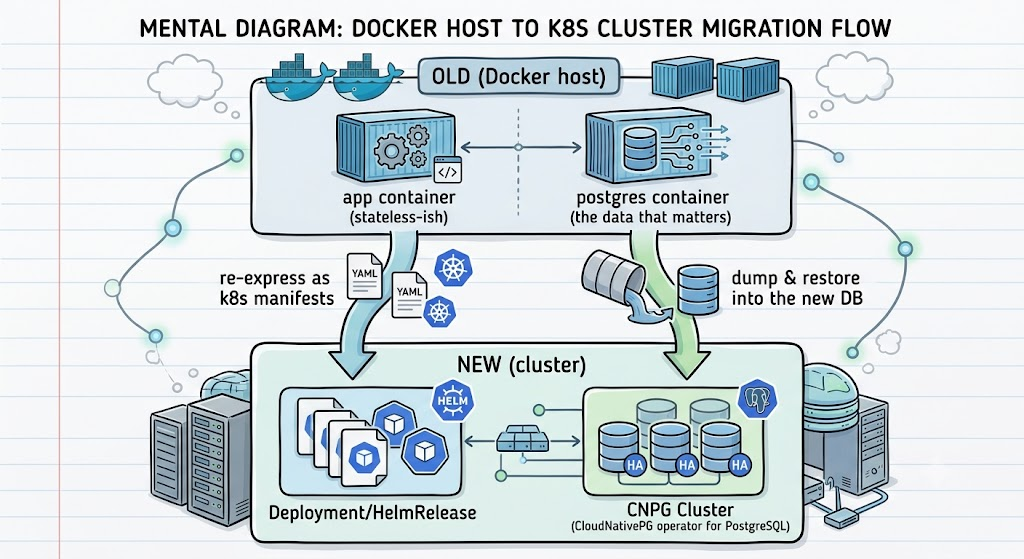
The app is mostly config, we rebuild it as manifests (article 07). The database
is state. we move it carefully. so the app config and the database are two distinct issues to deal with.
The playbook
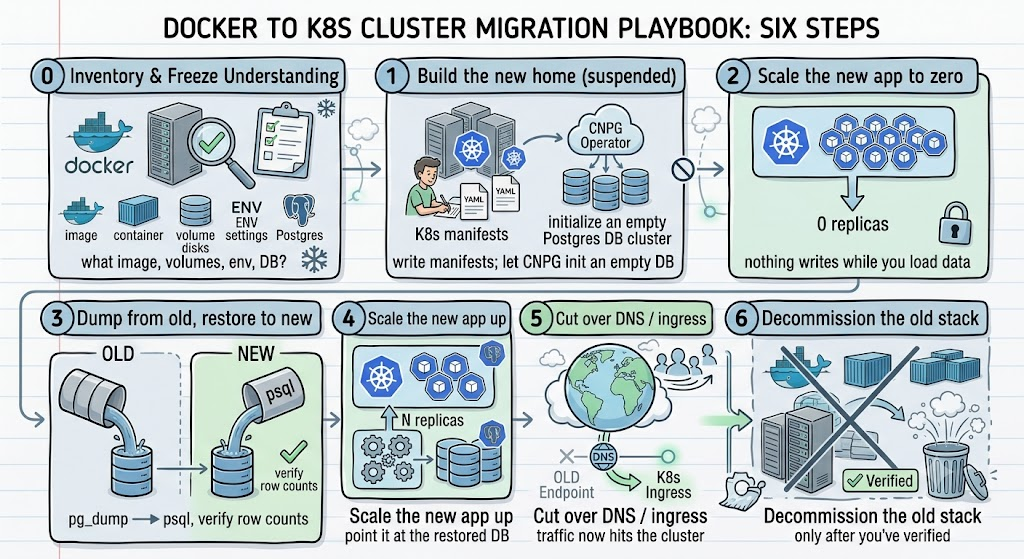
Let me walk each step with the real commands.
0 - Inventory
Before touching anything, write down exactly what the old stack is. For a Docker stack that means: the image tags, the named volumes and host paths, every env var (especially secrets), and the database name/user. You can't reproduce what you haven't catalogued.
The non-obvious ones that bite later:
- Secret keys that must be preserved. Authentik signs sessions and tokens with
AUTHENTIK_SECRET_KEY. If you generate a new one on the cluster, every existing session and token is invalidated. The secret has to be carried over verbatim and sealed for the new namespace (article 04). - Exact image versions. Migrating and upgrading at the same time means you can't tell which change broke things. Match the old version first; upgrade later as a separate step.
1 - Build the new home, and suspend Flux
Write the manifests (article 07): namespace, sealed secret, the CNPG Cluster, the app workload. Push, and let Flux bring up the CNPG cluster so it initialises an empty database.
Here's the first hard-won rule:
Suspend the app's reconciliation before the delicate part.
Otherwise Flux will "helpfully" re-assert desired state - scaling your app back up, or
re-applying a manifest - right in the middle of your restore. I learned this by watching
Flux undo ascale --replicas=0seconds after I ran it. Suspend, do the surgery, resume.
At this point the new app will boot against the fresh, empty DB and run its schema migrations. That's fine and expected, the restore in step 3 overwrites it.
2 - Scale the new app to zero
kubectl scale deploy authentik-server authentik-worker -n authentik --replicas=0
Rule: never restore into a database the app is actively writing to. Concurrent writes during a restore produce a corrupted, half-migrated mess.
3 - Dump from old, restore to new
This is the heart of it. Dump from the old Postgres, restore into the CNPG primary. this step sounds complex and scary as you are tapping into your actual DB tables, but doing this process few dozen times now, I rarely had any issues.
# On the old Docker host: a clean, idempotent dump
docker exec authentik-postgres \
pg_dump -U authentik --clean --if-exists authentik > /tmp/authentik.sql
scp [email protected]:/tmp/authentik.sql /tmp/authentik.sql

# On the cluster: wipe the empty schema CNPG created on first boot
kubectl exec -n authentik authentik-cnpg-1 -- psql -U postgres authentik \
-c "DROP SCHEMA public CASCADE; CREATE SCHEMA public; GRANT ALL ON SCHEMA public TO authentik;"

# Restore by piping the dump straight into psql in the primary pod
kubectl exec -i authentik-cnpg-1 -n authentik -- psql -U postgres authentik \
  < /tmp/authentik.sql
The flags and the schema wipe matter:
--clean --if-existsaddsDROP ... IF EXISTSbefore eachCREATE, so the restore is idempotent - you can re-run it without "already exists" errors.DROP SCHEMA public CASCADEfirst handles circular dependencies that--cleanalone can't untangle on a Django-migrated schema (Authentik, NetBox). Starting from a truly empty schema avoids a class of restore-order errors.- Piping
kubectl exec -i ... < filestreams the dump directly into the pod - no need to copy the file into the container first.
For databases with no convenient pg_dump access on the source, the same idea applies with whatever export the source supports; the destination half (psql into the CNPG primary) is identical.
Then verify before trusting it:
# row counts should match the old database
kubectl exec -n authentik authentik-cnpg-1 -- psql -U postgres authentik \
  -c "SELECT schemaname, relname, n_live_tup FROM pg_stat_user_tables ORDER BY n_live_tup DESC LIMIT 10;"
Throughput note: restoring through the kubectl exec API pipe runs around 20-30 MB/s. A ~110 MB dump took me a few minutes. For much bigger databases, copy the dump into the pod and restore locally, or use CNPG's native bootstrap-from-backup instead of a pipe.4 - Scale back up
kubectl scale deploy authentik-server authentik-worker -n authentik --replicas=1
flux resume kustomization apps          # hand control back to GitOps
Resuming Flux re-asserts the declared replica count, so make sure your manifest has the right replica count too - don't leave it at 0 in Git.
5 - Cut over DNS / ingress
Point the hostname at the cluster (10.10.13.50 via the wildcard, or a Cloudflare tunnel for public apps - article 10). Watch for stale DNS: an old CNAME pointing at the decommissioned host will keep sending traffic to the dead service. Clean those up as part of cutover, not after.
6 - Decommission - but mind Flux's prune behavior
Only after verifying the new app works do you tear down the old stack. One subtlety: Flux does not delete cluster resources just because you removed an old manifest, if pruning isn't enabled for them. Old StatefulSets, Services, PVCs, and Velero schedules from a previous phase have to be deleted manually after you remove them from Git. Don't assume "removed from repo" means "gone from cluster."
The lessons, distilled into rules
Each of these is a scar:
- Suspend Flux during surgery. It will undo your manual steps otherwise.
- Scale to zero before any restore. Live writes during restore = corruption.
- Carry secret keys over verbatim. A new signing key invalidates all sessions/tokens.
- Migrate first, upgrade later. Two variables at once = undebuggable.
- Wipe the schema, use
--clean --if-exists. Clean, idempotent, order-safe restores. - Re-seal secrets for the new namespace - never
sedthem. SealedSecrets are namespace-scoped; editing metadata leaves ciphertext bound to the old namespace and the controller silently won't decrypt it (article 04). - Watch CNPG's cron rules. Day-of-week is
1-7;0for Sunday is rejected and can block the whole apps reconciliation (article 06). - Verify row counts before cutover; clean stale DNS during it.
- Manually delete decommissioned resources Flux won't prune.
Why bother, vs. leaving it on Docker?
Each migration cost me an an hour or two. What the cluster gives back per app:
application-consistent backups (article 06/09), high availability, no separate VM to maintain, and - the big one - the app's entire definition living in Git instead of in a Portainer stack only I understand. The migrations were also the single best way to learn this stack, because a real workload with real data is an unforgiving teacher.
Resources
This cluster
- k3s-safeqbit-local-hq repo - the migrated apps (Authentik, NetBox, AFFiNE, Immich, PhotoPrism, cloudflared) all live under
apps/safeqbit-local-hq/
Documentation
- PostgreSQL:
pg_dump- the--clean --if-existsflags - PostgreSQL: Backup and Restore
- CNPG: Bootstrap (import an existing database) - the native alternative to a
psqlpipe for large DBs - Flux CLI: suspend / resume - pausing reconciliation during surgery
- kubectl exec - piping a dump into a pod
- Authentik: configuration - why
AUTHENTIK_SECRET_KEYmust be preserved
Next lesson → In Backups & disaster recovery, we face the scary question: what happens when it all goes wrong? Three layers of backups, and how the whole cluster rebuilds itself from a fresh install and one key.