How to Make a Dumb Thermostat Smart: A Home Assistant Story
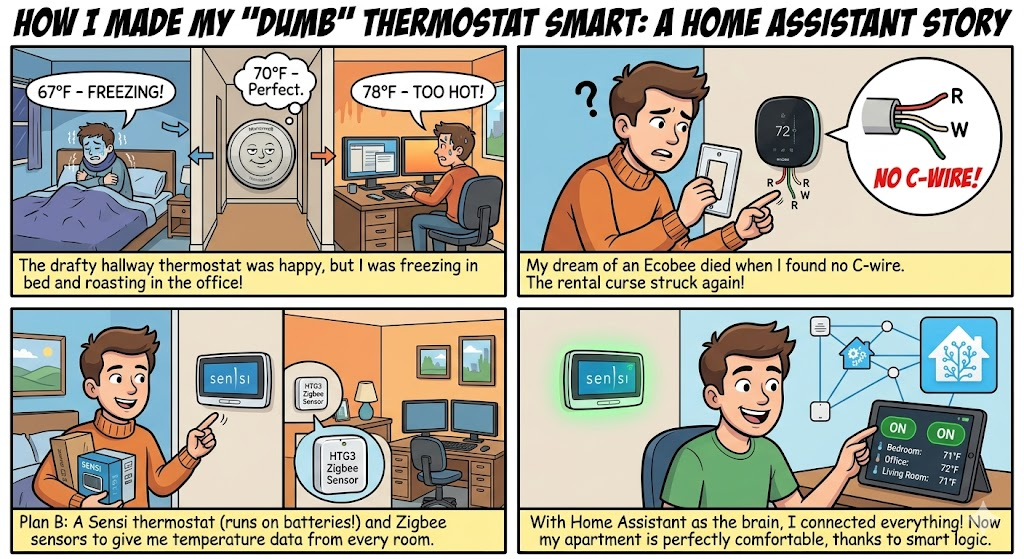
When we moved into a two-bedroom apartment, we inherited the kind of thermostat every renter knows: a basic Honeywell, mounted in a drafty hallway near the office, doing its best impression of climate control. The layout is simple. A primary bedroom on one end, a second bedroom converted into a home office on the other, with the living room in the middle. The thermostat sits closer to the office and absolutely nowhere near the bedroom we sleep in.
The problem became obvious fast. At night, the bedroom would drift down to 65°F while the thermostat, sitting in its cold drafty corner, happily reported 70°F and never called for heat. We'd wake up cold. During the day, my computers in the office pushed that room to 78°F while the same thermostat still thought everything was fine.
The hardware path
My first instinct was to replace the dumb thermostat with an Ecobee. Ecobees ship with remote room sensors specifically to solve this exact problem. I bought one, opened the wall plate, and immediately hit the renter's classic obstacle: no C wire. The apartment's HVAC wiring is from an era when thermostats ran on a single AA battery. Ecobees need constant power, and I wasn't about to crack open the air handler in a rental.
So I returned the Ecobee and bought a Sensi Wi-Fi thermostat (~$90). Sensi works without a C wire and installed in five minutes. The catch: it only knows what it feels in its own drafty corner. To give it eyes elsewhere, I added three HTG3 temperature/humidity sensors (~$40 each), one in the bedroom, one in the living room, one in the office. The HTG3 sensors connect over the network and report directly to my Home Assistant container, no extra hub or coordinator required. Total damage: about $200.
Enter Home Assistant
I deployed a container image of Home Assistant as the brains of this little project, an open-source platform that lets you tie devices from different ecosystems together with custom automation logic. The HTG3 sensors showed up automatically once they joined my IoT network. The Sensi was trickier: there's no official integration, but the community-maintained HACS (Home Assistant Community Store) has a sensi custom component that talks to the Sensi cloud API. Install HACS, add the repository, restart, and the thermostat appears as a climate entity Home Assistant can read and command.

With the Sensi controllable and three room sensors reporting fresh data every few minutes, I had everything I needed to teach the system to outsmart its own thermostat.
The logic, at a high level
The whole automation rests on one trick: the room sensors are the truth, the thermostat is just a lever. Here's the data flow:
   ┌──────────┐  ┌──────────┐  ┌──────────┐
   │ Bedroom  │  │ Living   │  │  Office  │
   │  68°F    │  │  72°F    │  │  75°F    │
   └────┬─────┘  └────┬─────┘  └────┬─────┘
        └─────────────┼─────────────┘
                      ▼
            ┌──────────────────┐
            │  Priority Picker │ ◄── time of day
            │  (smart mode)    │     night → bedroom
            └────────┬─────────┘     day → living+office avg
                     ▼
            ┌──────────────────┐    ┌──────────────┐
            │  Decision Brain  │ ◄──┤ Outside temp │
            │ • outdoor checks │    │ + forecast   │
            │ • indoor demand  │    └──────────────┘
            │ • forecast peek  │
            └────────┬─────────┘
                     ▼
         ┌──────────────────────┐
         │  Mode + Setpoint     │
         │  + offset correction │
         └──────────┬───────────┘
                    ▼
            ┌──────────────┐
            │     Sensi    │  ←  "aim for 73°F in heat mode"
            └──────────────┘     (its drafty location feels 70°F,
                                  so it actually heats the bedroom
                                  to a real 70°F)
Every minute, the system picks a priority room based on the time of day, bedroom at night, living room and office averaged together during the day, and reads its actual temperature. Then it walks a layered decision tree to choose the right HVAC mode: manual override first, then current outdoor temperature, then indoor demand (with a deadband to prevent flapping), and finally forecast-based pre-heating or pre-cooling. Indoor demand intentionally beats the forecast because my computers throw enough heat that a 55°F afternoon with the office at 73°F still needs cooling.
Once the mode is chosen, the offset correction kicks in. It computes the difference between what the Sensi feels in its drafty hallway and what the priority room actually reads, then adds that offset to the target before sending it. If the bedroom is 67°F and the Sensi reads 70°F with a target of 70°F, the system tells the Sensi to aim for 73°F. The furnace runs until the Sensi feels 73°F, by which time the bedroom is at the actual target.
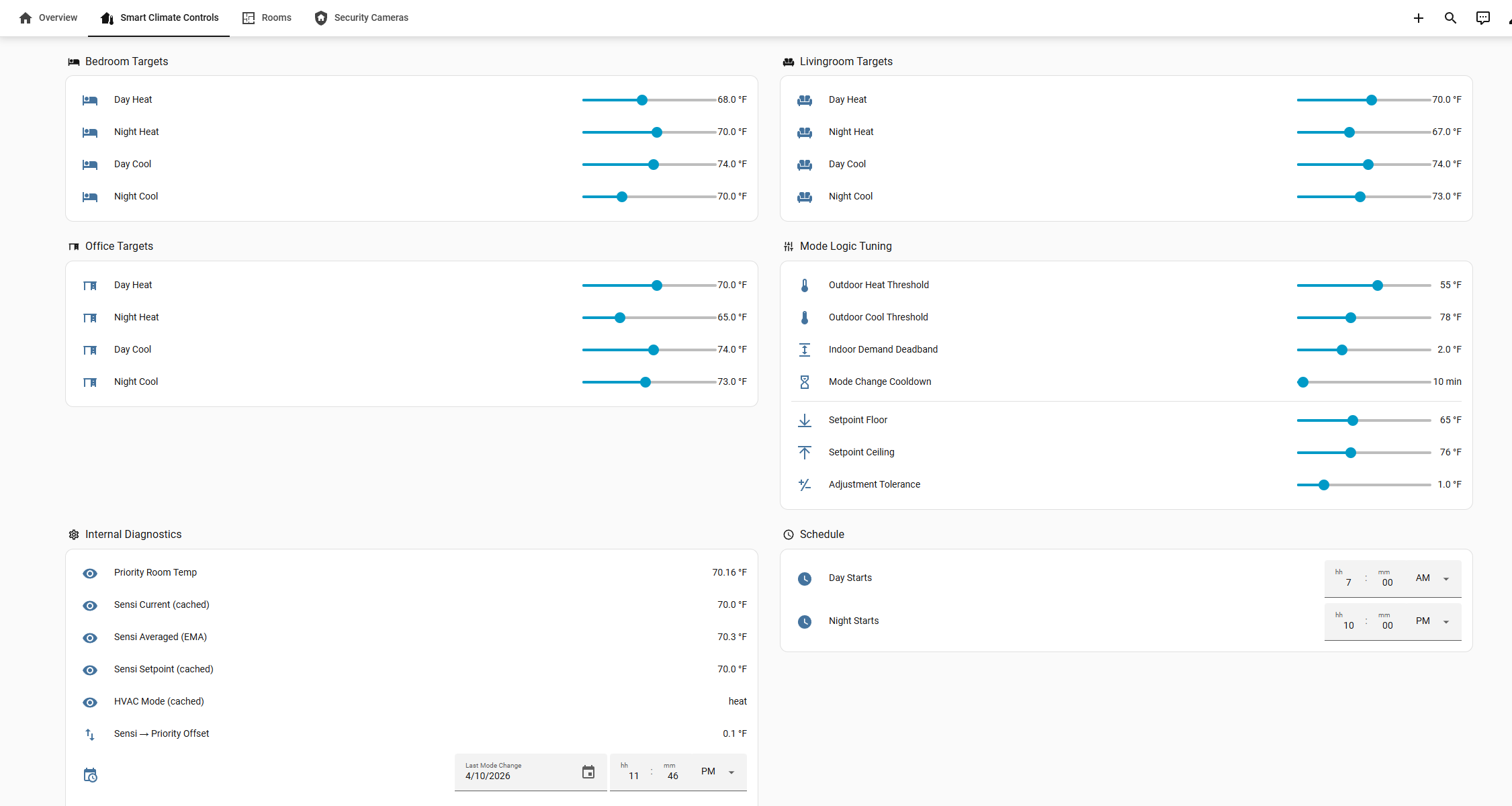
The result
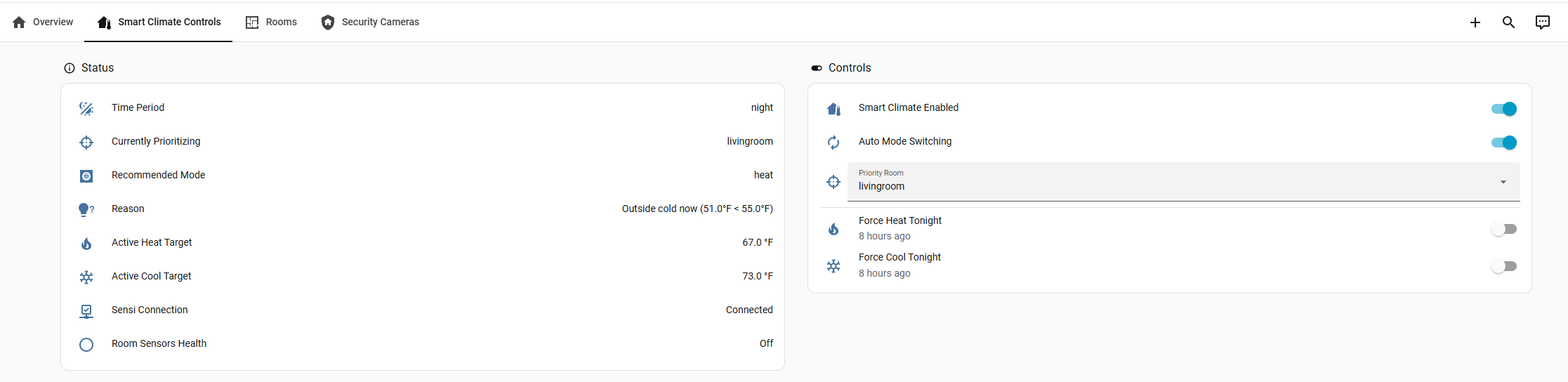
The bedroom stays warm at night. The office stops baking in the afternoon. A live diagnostic card on my Home Assistant dashboard explains every decision in plain English. The Honeywell sits in a drawer, the Ecobee got returned, and ~$200 of hardware plus a weekend of YAML solved a problem the building never thought to.
Hardware used
 From the Author
 From the Author
Software used
 Home Assistant