Tech Terminology Building Blocks: The Modern IT Infrastructure Glossary and Reference Guide
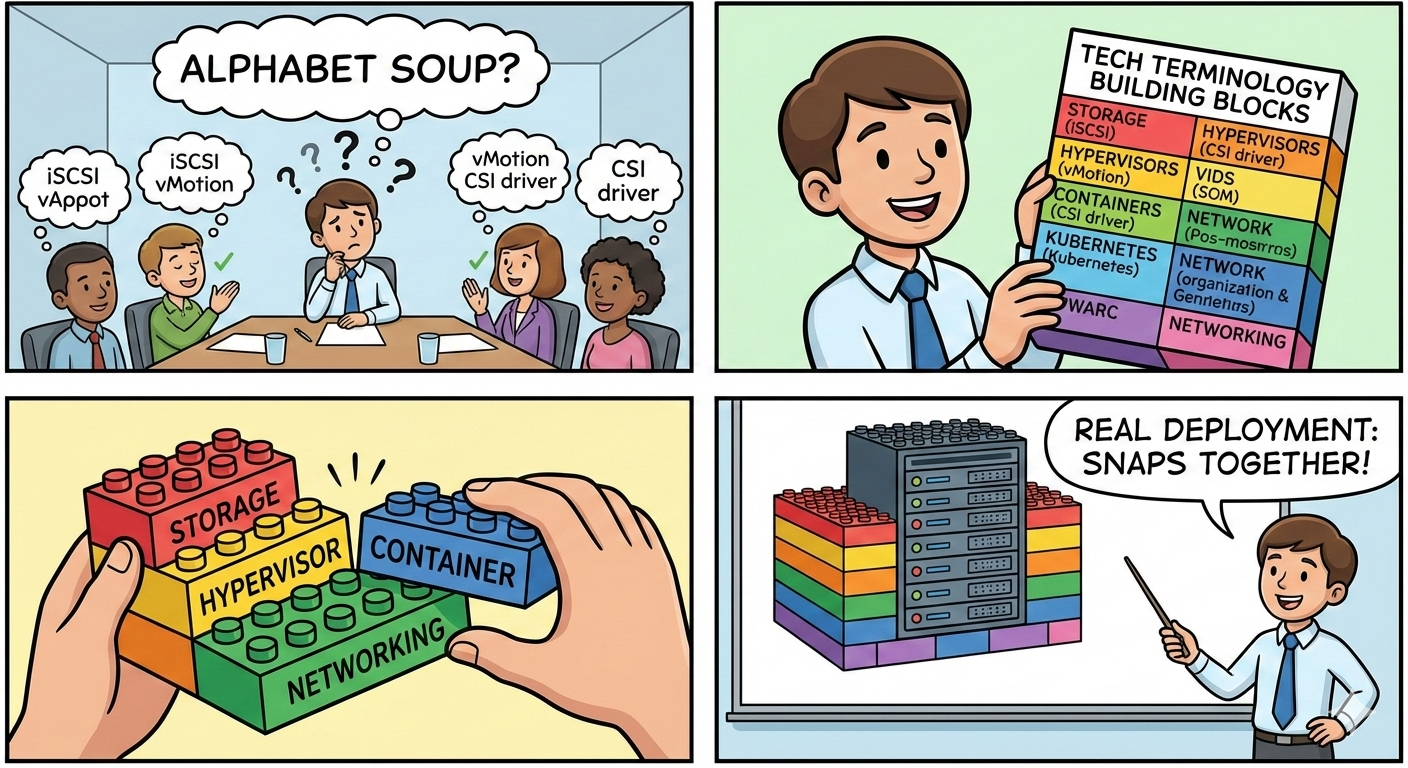
Ever found yourself in a meeting where someone casually drops "iSCSI," "vMotion," or "CSI driver" and everyone nods along? Infrastructure terminology can feel like alphabet soup. This post breaks down the most common terms across storage, hypervisors, hyperscalers, containers, Kubernetes, and networking, each in just a few words, then shows how these building blocks snap together in real deployments.
Storage
LUN (Logical Unit Number) - A slice of storage presented as a single disk to a host.
Volume - A logical container of storage space, often carved from a pool.
RAID (Redundant Array of Independent Disks) - Combines multiple drives for redundancy, performance, or both.
ZFS - A filesystem and volume manager with built-in checksumming, snapshots, and self-healing.
Btrfs - A copy-on-write Linux filesystem with snapshots and pooling, lighter weight than ZFS.
Snapshot - A point-in-time, read-only copy of data for quick recovery.
Clone - A writable copy of a snapshot, instantly creates an independent duplicate.
Thin Provisioning - Allocates storage on-demand rather than reserving it all upfront.
Thick Provisioning - Reserves the full disk space at creation time, guaranteeing capacity.
Deduplication - Eliminates duplicate data blocks to save space.
Compression - Reduces data size on disk in real time (LZ4, ZSTD).
Replication - Copies data to another location for disaster recovery.
Tiering - Automatically moves data between fast (SSD) and slow (HDD) storage based on access patterns.
Object Storage - Stores data as objects with metadata, ideal for unstructured data at scale.
Block Storage - Raw storage volumes attached to compute, behaves like a physical disk.
File Storage - Shared filesystem accessed over the network via protocols like NFS or SMB.
Storage Pool - A group of physical disks combined into one logical unit from which volumes are carved.
Hot Spare - An idle drive in a RAID array that automatically replaces a failed disk.
Scrubbing - A background process that reads all data to detect and repair silent corruption.
IOPS (Input/Output Operations Per Second) - A measure of how many read/write operations storage can handle per second.
Throughput - The amount of data transferred per second (MB/s or GB/s), distinct from IOPS.
Latency - The delay between requesting data and receiving it, measured in milliseconds or microseconds.
Storage Standards & Protocols
iSCSI - Sends SCSI commands over TCP/IP networks, turning standard Ethernet into a storage network.
NFS (Network File System) - A protocol for sharing directories over a network, common in Linux environments.
SMB/CIFS - File sharing protocol, primarily used in Windows environments.
Fibre Channel (FC) - A high-speed, low-latency dedicated storage network protocol.
FCoE (Fibre Channel over Ethernet) - Encapsulates Fibre Channel frames inside Ethernet, converging storage and data traffic.
NVMe (Non-Volatile Memory Express) - A protocol designed specifically for flash storage, far faster than SATA/SAS.
NVMe-oF (NVMe over Fabrics) - Extends NVMe flash performance across a network fabric (RDMA, TCP, or FC).
SAS (Serial Attached SCSI) - An enterprise drive interface, faster and more reliable than SATA.
SATA (Serial ATA) - A common, cost-effective drive interface for HDDs and consumer SSDs.
S3 (Simple Storage Service) - An object storage API that became the de facto standard, originated by AWS.
VSAN / SDS (Software-Defined Storage) - Pools local disks across hosts into shared storage using software.
Ceph - An open-source distributed storage system providing object, block, and file storage in one cluster.
GlusterFS - A scalable distributed filesystem that aggregates storage across multiple servers.
Networking for Storage
VLAN (Virtual LAN) - Logically segments a physical network into isolated broadcast domains.
Jumbo Frames (MTU 9000) - Larger Ethernet frames that reduce overhead for storage traffic.
MPIO (Multipath I/O) - Uses multiple paths between host and storage for redundancy and load balancing.
LACP / Link Aggregation - Bonds multiple NICs into one logical link for bandwidth and failover.
Storage Network (SAN Fabric) - A dedicated high-speed network connecting hosts to shared block storage.
Spine-Leaf Topology - A two-tier network architecture that provides predictable, low-latency paths.
RDMA (Remote Direct Memory Access) - Allows direct memory-to-memory data transfer between hosts, bypassing the CPU.
RoCE (RDMA over Converged Ethernet) - Delivers RDMA performance over standard Ethernet infrastructure.
iWARP - Another RDMA implementation that runs over TCP, more firewall-friendly than RoCE.
DCB (Data Center Bridging) - A set of Ethernet enhancements (PFC, ETS) that make Ethernet lossless for storage traffic.
Zoning (FC) - Controls which hosts can see which storage targets on a Fibre Channel fabric.
Subnet - A subdivided range of IP addresses within a network, used to isolate and organize traffic.
Trunking - Carries multiple VLANs over a single physical link between switches.
QoS (Quality of Service) - Prioritizes certain traffic types (like storage) over others on shared networks.
Commonly Confused Terms
These pairs trip people up constantly. Here's how they differ.
SAN vs. NAS - A SAN (Storage Area Network) delivers raw block storage over a dedicated network (FC or iSCSI); the host sees it as a local disk and puts its own filesystem on it. A NAS (Network-Attached Storage) delivers a shared filesystem (NFS/SMB) that multiple clients mount simultaneously. SAN = block-level, host owns the filesystem. NAS = file-level, the NAS owns the filesystem.
iSCSI vs. Fibre Channel - Both transport block storage, but iSCSI runs over standard Ethernet (cheaper, simpler) while Fibre Channel uses dedicated HBAs and switches (lower latency, higher cost). iSCSI is good enough for most workloads; FC dominates where microseconds matter.
NFS vs. SMB - Both are file-sharing protocols. NFS is the standard in Linux/Unix environments and is common for hypervisor datastores and container storage. SMB is the standard in Windows environments for file shares and Active Directory-integrated access. Choosing one usually comes down to your OS ecosystem.
RAID vs. ZFS (RAIDZ) - Traditional hardware RAID is managed by a dedicated controller card and is filesystem-agnostic. ZFS RAIDZ is software-based, tightly integrated with the filesystem, and adds checksumming and self-healing. RAID protects against drive failure; ZFS RAIDZ protects against drive failure and silent data corruption.
Thin vs. Thick Provisioning - Thick reserves all the disk space immediately (what you allocate is what you consume). Thin only uses space as data is actually written, allowing overcommitment. Thin saves space but requires monitoring to prevent unexpected capacity exhaustion.
Snapshot vs. Backup - A snapshot is instant and lives on the same storage as the original data, great for quick rollback, useless if the storage itself fails. A backup is a full copy on separate media or a remote location, slower to create but protects against hardware loss, ransomware, and site disasters.
Block Storage vs. Object Storage - Block is low-latency, supports random reads/writes, and is used for databases and OS disks. Object is high-throughput, stores data with rich metadata, and is used for media files, logs, and archives. You can't boot a VM from object storage; you wouldn't store 50TB of video on block storage.
SAS vs. SATA - Both are drive interfaces. SAS is enterprise-grade with dual-port capability, higher RPM options, and better reliability. SATA is consumer/prosumer-grade, cheaper, and fine for bulk storage or read-heavy workloads. Most enterprise arrays use SAS or NVMe; most NAS boxes use SATA.
NVMe vs. SATA SSD - Both are solid-state, but NVMe connects via PCIe and is dramatically faster (millions of IOPS vs. ~100K). SATA SSDs are bottlenecked by the SATA interface at ~550 MB/s. For performance-critical workloads, NVMe is the clear winner.
Replication vs. Backup - Replication mirrors data continuously or on a schedule to a second location for fast failover. Backup creates periodic point-in-time copies. Replication gives you low RTO (recovery time); backups give you low RPO flexibility (recovery point) and protection against accidental deletion, since replicated deletes are also replicated.
Hyperconverged (HCI) vs. Traditional 3-Tier - 3-Tier separates compute, storage, and networking into distinct hardware layers (servers + SAN + switches). HCI collapses compute and storage into every node using software-defined storage, scaling out by adding identical nodes. HCI is simpler to manage; 3-Tier offers more granular scaling of individual layers.
vSwitch vs. Physical Switch - A physical switch is hardware forwarding traffic between physical devices. A vSwitch is software inside a hypervisor forwarding traffic between VMs on the same host. VMs talk to each other through the vSwitch; they reach the physical network when the vSwitch uplinks to a physical switch.
Container vs. VM - A VM includes a full guest OS and runs on a hypervisor; strong isolation, heavier footprint. A container shares the host kernel and isolates at the process level; lighter, faster to start, but less isolation. VMs for multi-tenant or OS-level isolation; containers for microservices and rapid scaling.
Hypervisors
Type 1 Hypervisor (Bare-Metal) - Runs directly on hardware; examples include ESXi, Proxmox VE, and Hyper-V Server.
Type 2 Hypervisor (Hosted) - Runs on top of an OS; examples include VirtualBox and VMware Workstation.
VM (Virtual Machine) - A software-emulated computer with its own OS running on a hypervisor.
vCPU - A virtual CPU core allocated to a VM from the physical host.
vSwitch (Virtual Switch) - A software-based network switch inside the hypervisor connecting VMs.
vMotion / Live Migration - Moves a running VM between hosts with zero downtime.
Datastore - A storage location the hypervisor uses to hold VM disk files.
Passthrough / SR-IOV - Gives a VM direct access to physical hardware (GPU, NIC) for near-native performance.
HA (High Availability) - Automatically restarts VMs on a surviving host if a host fails.
DRS (Distributed Resource Scheduler) - Balances VM workloads across hosts based on resource utilization.
Resource Pool - A logical grouping that caps or guarantees CPU/RAM for a set of VMs.
Template - A gold image VM used to rapidly clone new VMs with a consistent configuration.
Hyperscalers & Cloud
Hyperscaler - A cloud provider operating at massive scale (AWS, Azure, GCP).
Region - A geographic cluster of data centers offered by a cloud provider.
Availability Zone (AZ) - An isolated data center within a region for fault tolerance.
IaaS (Infrastructure as a Service) - Rent compute, storage, and networking on demand.
PaaS (Platform as a Service) - A managed platform for deploying apps without managing the underlying infra.
SaaS (Software as a Service) - Fully managed applications delivered over the internet (Microsoft 365, Salesforce).
Managed Kubernetes (EKS, AKS, GKE) - Cloud-hosted Kubernetes where the provider manages the control plane.
Auto Scaling - Automatically adjusts compute resources based on demand.
Load Balancer - Distributes incoming traffic across multiple backend instances.
VPC (Virtual Private Cloud) - An isolated virtual network within a cloud provider's infrastructure.
Egress / Ingress (Cloud) - Egress is data leaving the cloud (often metered and billed); ingress is data entering (usually free).
Containers
Container - A lightweight, isolated process sharing the host OS kernel; faster and smaller than a VM.
Container Image - A read-only template containing the app, dependencies, and runtime.
Container Registry - A repository for storing and distributing container images (Docker Hub, Harbor, GHCR).
Dockerfile - A script of instructions to build a container image layer by layer.
Container Runtime - The engine that runs containers (containerd, CRI-O).
Docker - The toolset that popularized containers; includes build tools and a runtime.
Podman - A daemonless container engine, often used as a Docker alternative on Linux.
Bind Mount / Volume - Mechanisms to persist data outside the container's ephemeral filesystem.
Docker Compose - A tool for defining and running multi-container applications with a single YAML file.
OCI (Open Container Initiative) - The open standard for container image formats and runtimes.
Kubernetes
Cluster - The full Kubernetes environment: control plane plus worker nodes.
Node - A single machine (physical or virtual) in a Kubernetes cluster running workloads.
Pod - The smallest deployable unit in Kubernetes; one or more containers sharing network and storage.
Deployment - Declares the desired state for pods, handles rolling updates and scaling.
StatefulSet - Like a Deployment but for stateful apps; provides stable network identity and persistent storage per pod.
DaemonSet - Ensures a pod runs on every node, commonly used for logging and monitoring agents.
Service - A stable network endpoint that routes traffic to a set of pods.
Ingress - Manages external HTTP/HTTPS access into the cluster, often with TLS termination.
Namespace - A logical partition within a cluster for organizing and isolating resources.
PV / PVC (Persistent Volume / Claim) - The Kubernetes abstraction for requesting and binding storage.
StorageClass - Defines the type of storage (fast SSD, standard HDD) that a PVC can request.
CSI (Container Storage Interface) - A standard plugin interface that lets Kubernetes use any storage backend.
CNI (Container Network Interface) - A plugin standard for configuring pod networking (Calico, Cilium, Flannel).
Helm - A package manager for Kubernetes, bundles manifests into reusable charts.
Operator - A custom controller that automates the lifecycle of complex applications on Kubernetes.
etcd - The distributed key-value store that holds all Kubernetes cluster state.
Putting the Blocks Together: Real-World Deployments
Now let's see how these building blocks combine in practice. Below are three common scenarios: a cloud-native app, a small data center storage deployment, and a network design, each explaining why specific blocks are chosen.
Example 1: Cloud-Native Web Application on a Hyperscaler
Scenario: A company deploys a web application with a database backend that must be highly available, scalable, and use persistent storage.
The Stack:
A hyperscaler like AWS is chosen for elastic capacity and global reach. The deployment spans two Availability Zones within a single Region for fault tolerance. Managed Kubernetes (EKS) eliminates the overhead of maintaining the control plane, so the team focuses on workloads, not infrastructure.
The application runs as containers, built from a Dockerfile, stored in a container registry (ECR), and deployed onto the cluster as Pods managed by a Deployment. A Kubernetes Service provides stable internal routing, and an Ingress controller with a cloud Load Balancer handles external HTTPS traffic.
For the database, a PVC requests persistent block storage (EBS) via a CSI driver, ensuring data survives pod restarts. The cluster's CNI plugin (VPC-CNI on AWS) assigns each pod a routable IP within the VPC, leveraging VLANs and security groups for network segmentation.
Helm charts package the entire application stack, making deployments reproducible across staging and production namespaces. Auto Scaling adjusts worker nodes based on CPU utilization, while the Deployment scales pods horizontally to match traffic.
Why this combination is common: Managed Kubernetes on a hyperscaler removes undifferentiated heavy lifting. The CSI and CNI plugin standards mean the team isn't locked into a single storage or network vendor. Block storage with PVCs gives databases the persistent, low-latency disks they need. Ingress plus a load balancer is the standard pattern for exposing web traffic securely. And Helm keeps everything version-controlled and repeatable. Each building block solves one problem well, and Kubernetes is the glue that orchestrates them into a cohesive system.
Example 2: Storage Architecture for a Small Data Center
Scenario: A small company with 10 to 15 physical servers needs shared storage for VM hosting, file shares, and backups without the budget for an enterprise SAN.
The Stack:
Two NAS appliances (such as TrueNAS) are deployed, each with a storage pool built on ZFS using RAIDZ2 for double-parity protection and scrubbing enabled weekly to catch silent corruption. The pools mix SAS SSDs as a read cache (L2ARC) and SATA HDDs for bulk capacity, with LZ4 compression enabled to stretch usable space.
For the hypervisor cluster (Proxmox VE or VMware ESXi), the NAS exports NFS shares as VM datastores. NFS is chosen over iSCSI here because it is simpler to manage at this scale, supports thin provisioning natively at the filesystem level, and makes snapshots trivial from the NAS side. The NFS traffic runs on a dedicated VLAN with Jumbo Frames (MTU 9000) enabled end-to-end to maximize throughput and reduce CPU overhead.
For Windows file shares, the same NAS serves SMB shares integrated with Active Directory. These run on a separate VLAN from the NFS storage traffic to keep user file browsing from impacting VM disk I/O.
Replication is configured between the two NAS units using ZFS send/receive, shipping snapshots every 15 minutes to the secondary unit. This gives near-continuous data protection without the cost of a dedicated backup appliance. For longer-term retention, a nightly backup job writes to a separate SATA-based pool on the secondary NAS with deduplication enabled, keeping 30 days of restore points.
A single iSCSI LUN is carved out for one legacy application that requires raw block storage directly attached to a Windows Server. MPIO is configured with two paths over two NICs for redundancy.
Why this combination is common: ZFS on a NAS provides enterprise features (checksumming, snapshots, replication) at a fraction of the cost of a dedicated FC SAN. NFS keeps the hypervisor storage simple with no LUN management, no zoning, just mount and go. Dedicated VLANs and jumbo frames ensure storage traffic doesn't compete with user traffic. And the snapshot-based replication gives the small team disaster recovery without a second site or expensive replication licenses. It's the classic "maximum reliability per dollar" small data center stack.
Example 3: Converged Network Design for a Mid-Size Data Center
Scenario: A mid-size organization is building out a new 4-rack data center supporting 40 hypervisor hosts, a SAN, management infrastructure, and north-south internet traffic. The goal is a network that cleanly separates traffic types, scales without rearchitecting, and supports both VM and container workloads.
The Stack:
The physical network uses a spine-leaf topology with two spine switches and four leaf (ToR) switches, one per rack. Every leaf uplinks to both spines, giving predictable, low-latency east-west paths and eliminating spanning tree complexity. All inter-switch links use 25GbE with LACP for bandwidth and redundancy.
Each host connects with dual 25GbE NICs, one to each leaf switch, providing link aggregation and path diversity. Traffic is segmented using VLANs carried over 802.1Q trunks between switches:
- VLAN 10 - Management: hypervisor management, BMC/IPMI, vCenter/Proxmox UI.
- VLAN 20 - vMotion / Live Migration: dedicated to live migration traffic, isolated to prevent disruption to production.
- VLAN 30 - Storage (NFS/iSCSI): all storage traffic with Jumbo Frames (MTU 9000) enabled on every device in the path. QoS policies prioritize storage over general traffic to protect latency and IOPS consistency.
- VLAN 40 - VM/Container Production: the network VMs and pods use to serve application traffic.
- VLAN 50 - Backup: replication and backup streams isolated here to prevent large nightly jobs from saturating production paths.
The storage network deserves special attention. The SAN connects via iSCSI on VLAN 30, and every host runs MPIO with active/active paths through both leaf switches. DCB (PFC) is enabled on VLAN 30 to create a lossless Ethernet segment for storage, preventing TCP retransmits that would spike latency. The NAS also serves NFS on this same VLAN for secondary datastores and container PVCs.
For the Kubernetes cluster running on a subset of the hosts, the CNI plugin (Cilium) manages pod networking on VLAN 40, applying network policies for microsegmentation. Pods that need persistent storage request PVCs backed by the NFS NAS via a CSI driver, and the storage traffic naturally flows on VLAN 30 because the NFS mounts on the host are already bound to that VLAN.
At the border, a pair of firewalls in HA connect the data center to the internet and corporate WAN. A load balancer (physical or virtual) handles inbound traffic distribution to the application VMs and Kubernetes Ingress controllers.
Why this combination is common: Spine-leaf eliminates bottlenecks and scales by adding leaves. VLAN segmentation keeps blast radii small, so a backup job flooding VLAN 50 cannot touch storage latency on VLAN 30. Jumbo frames and QoS on the storage VLAN protect the workloads that are most sensitive to network performance. MPIO and dual uplinks mean no single cable or switch failure takes anything down. And the same physical network supports both VM and Kubernetes workloads without needing separate infrastructure, because VLANs, CSI, and CNI abstract the differences cleanly. It's the modern "do-everything" data center network that avoids dedicated FC fabric costs while still delivering predictable storage performance.
Takeaway: You don't need to memorize every acronym. Understanding what layer each term belongs to, whether that's storage, network, compute, or orchestration, is enough to follow any architecture conversation and ask the right questions. And as these examples show, the same building blocks keep showing up in different combinations. Learn the blocks, and the architectures start to feel intuitive.