NetScan-WoL: Network Discovery and Wake-on-LAN from a Single Script
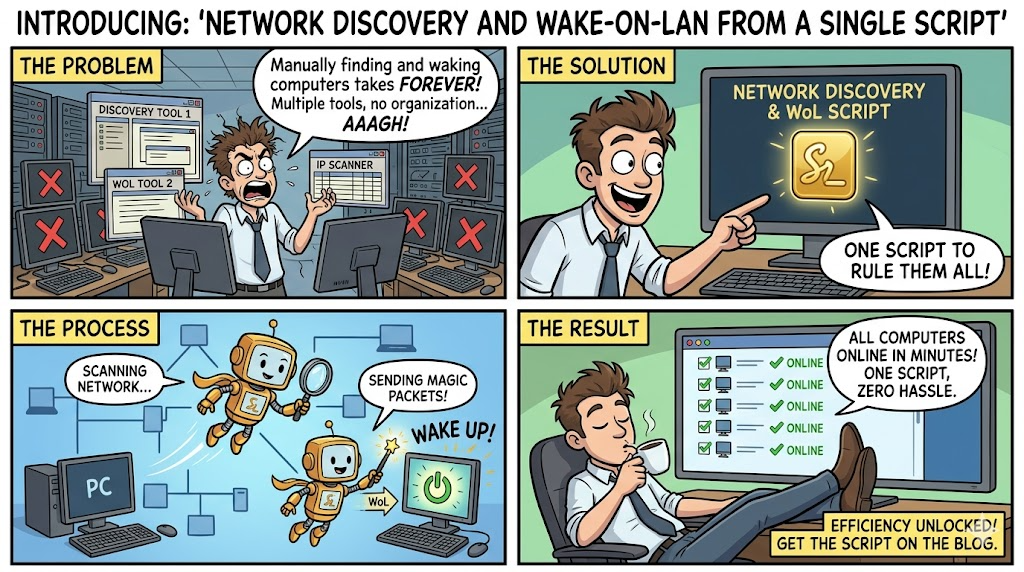
If you've ever needed to wake up a machine on your network and found yourself digging through router ARP tables, spreadsheets of MAC addresses, or running a chain of commands just to send one magic packet, I built something to fix that.
NetScan-WoL is a bash tool that scans your broadcast domain via ARP, discovers every host with its IP, MAC, and vendor, resolves hostnames, and lets you send Wake-on-LAN packets, all from one interactive menu. It also ships with an optional web UI you can deploy as a systemd service for browser-based access.
I wrote this because I kept running into the same workflow in my homelab and at client sites: I need to wake a machine, but I don't have its MAC handy, so I scan the network, find it, copy the MAC, then run wakeonlan manually. Every time. NetScan-WoL rolls that entire process into a single tool with persistent saved hosts so you only have to look up a machine once.
What It Does
At its core, the tool does two things: discover and wake. But it layers on enough convenience features to make it genuinely useful day-to-day.
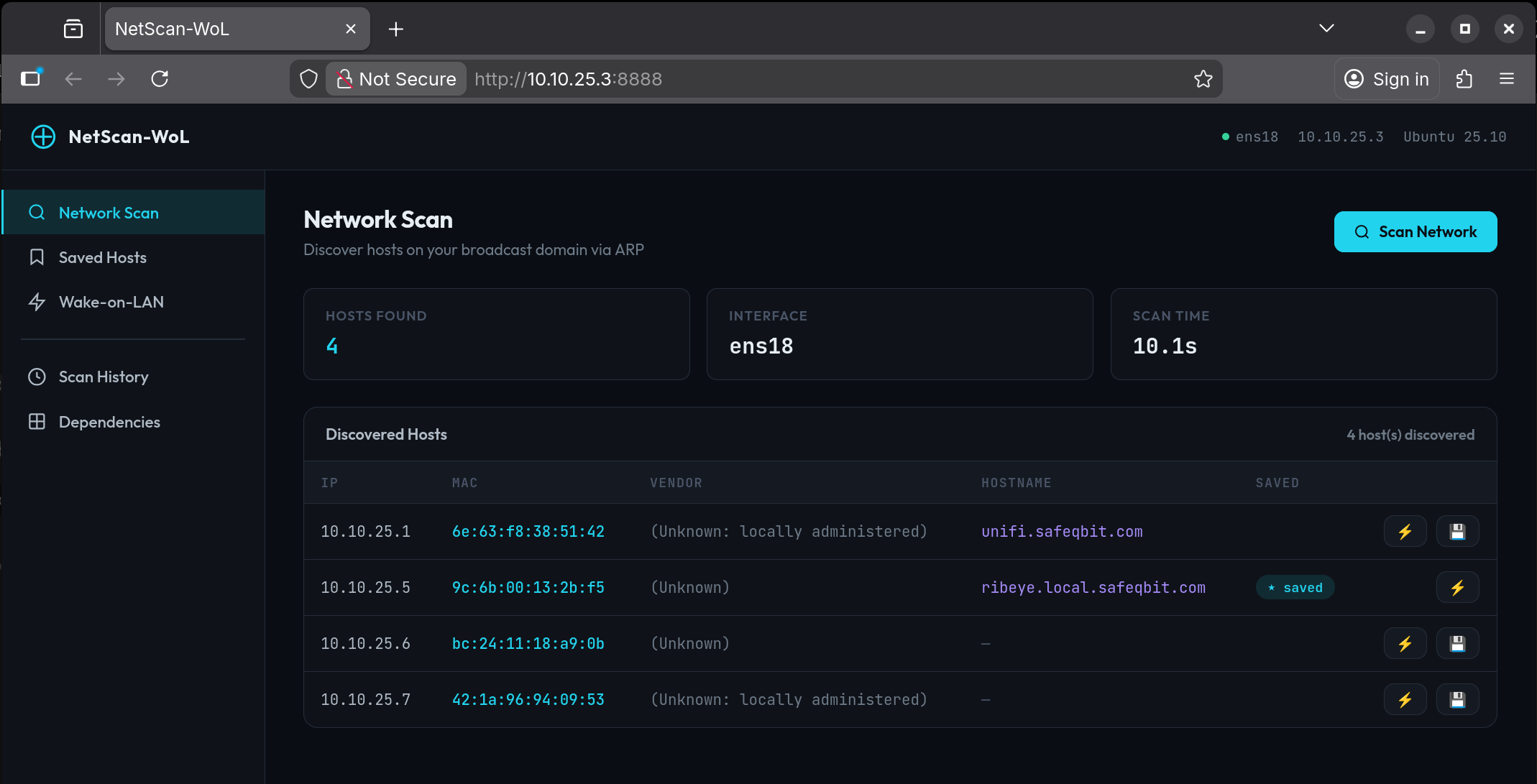
Network scanning uses arp-scan at Layer 2, so it catches everything on the broadcast domain regardless of whether the host responds to ping. Every discovered host gets its IP, MAC address, OUI vendor lookup, and hostname resolved through a cascade of reverse DNS, mDNS (Avahi), and NetBIOS (nbtscan), using whatever's available on your system.
Wake-on-LAN sends standard magic packets via wakeonlan. You can wake hosts from scan results, from your saved favorites list, by manually typing a MAC, or broadcast to all saved hosts at once. It also supports custom broadcast IPs for directed WoL across subnets.
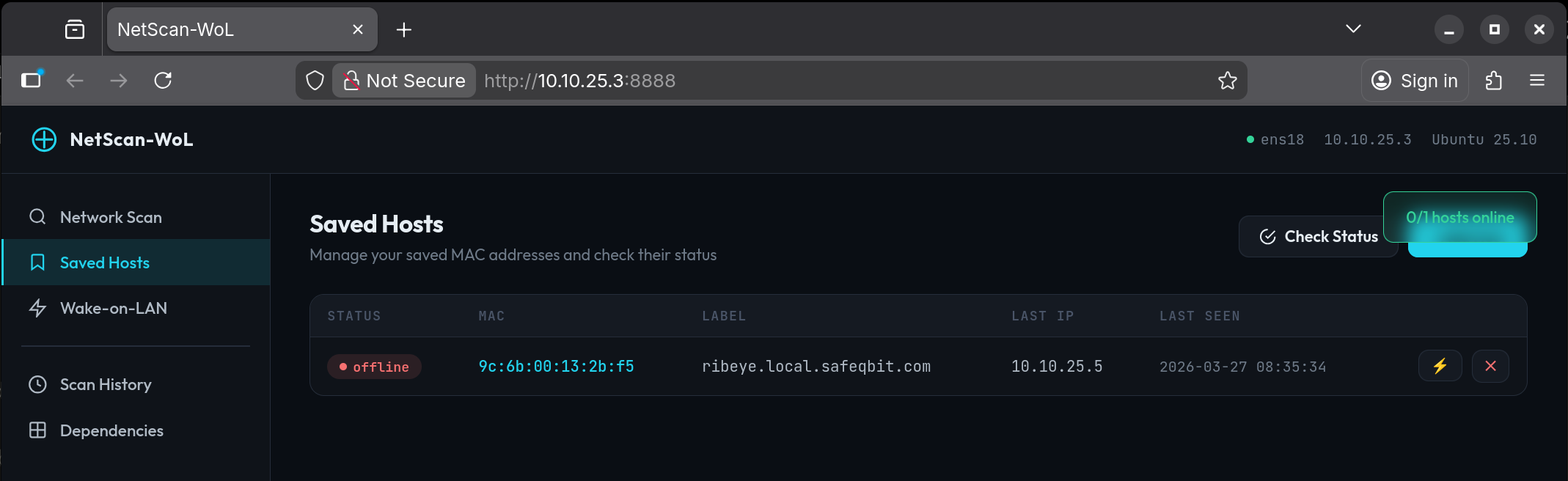
Saved hosts persist between sessions in ~/.netscan-wol/. Scan once, save the machines you care about with a label, and from then on it's just "Quick WoL → pick a number." The tool tracks each host's last known IP and when it was last seen.
Online/offline status checks whether saved hosts are reachable using arping (Layer 2 ARP, can't be blocked by host firewalls) with a fallback to ICMP ping. The Quick WoL screen runs this automatically so you can see exactly which machines are down before waking them.
Scan history saves every scan result as a timestamped TSV file. You can browse past scans and drill into the details from the menu.
Getting Started
Place the script on any Ubuntu server and let it install its own dependencies:
chmod +x netscan-wol.sh
sudo ./netscan-wol.sh --install
That detects your distro, maps to the correct package manager (apt, dnf, pacman, etc.), and installs arp-scan and wakeonlan as required packages. It also offers the optional packages: avahi-utils for mDNS resolution, nbtscan for NetBIOS, and arping for Layer 2 status checks.
Once dependencies are in place, just run it:
sudo ./netscan-wol.sh
Root is required because ARP scanning operates at the raw socket level. The tool auto-detects your default network interface, but you can override it:
sudo ./netscan-wol.sh -i ens18 -s 10.0.50.0/24
The Menu
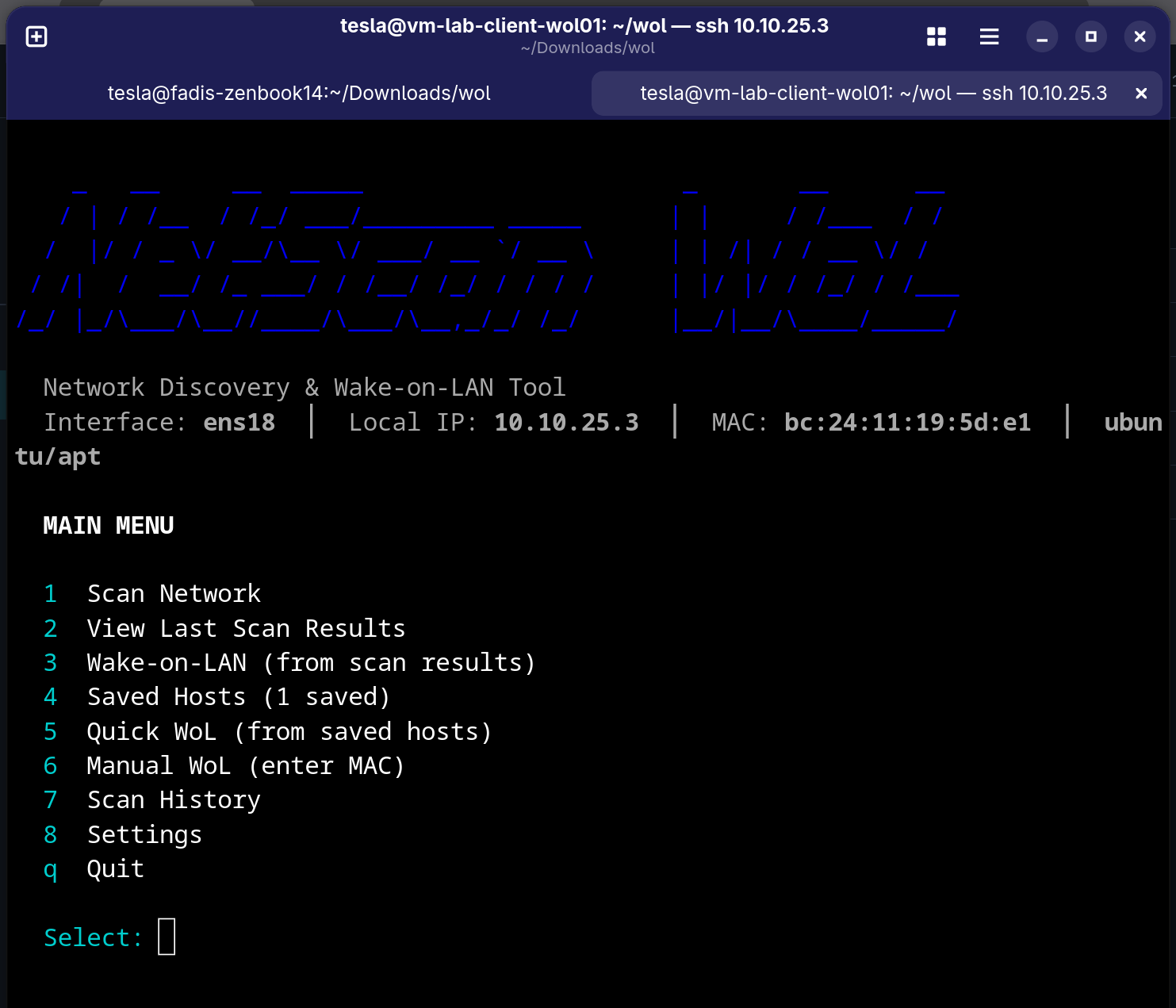
The interactive menu gives you eight options:
- Scan Network runs the ARP scan, resolves hostnames, displays results, and offers to save hosts
- View Last Scan Results lets you redisplay without re-scanning
- Wake-on-LAN (from scan) lets you pick a discovered host and send a magic packet
- Saved Hosts is where you manage your favorites, add/delete manually, and check online/offline status
- Quick WoL (from saved) shows a status-checked list of saved hosts where you can wake one or wake all
- Manual WoL lets you type any MAC address directly, with optional custom broadcast IP
- Scan History lets you browse timestamped past scans
- Settings is where you change interface/subnet, manage dependencies, import/export saved MACs, and manage the web UI service
The Web UI
For situations where you want browser access, maybe from your phone or for someone who doesn't want to SSH in, there's a companion Flask web app. The bash script can deploy it as a systemd service in one command:
sudo ./netscan-wol.sh --web-install --web-port 8888
This installs Flask if needed, copies the web script to /opt/netscan-wol/, creates a hardened systemd unit with CAP_NET_RAW capabilities, enables it at boot, and prints every IP address the dashboard is reachable on:
  ┌──────────────────────────────────────────────────────────┐
  │  Web UI is now running!                                  │
  │                                                          │
  │  Access the dashboard at:                                │
  │    ▶  http://192.168.1.10:8888                           │
  │    ▶  http://10.0.50.1:8888                              │
  └──────────────────────────────────────────────────────────┘
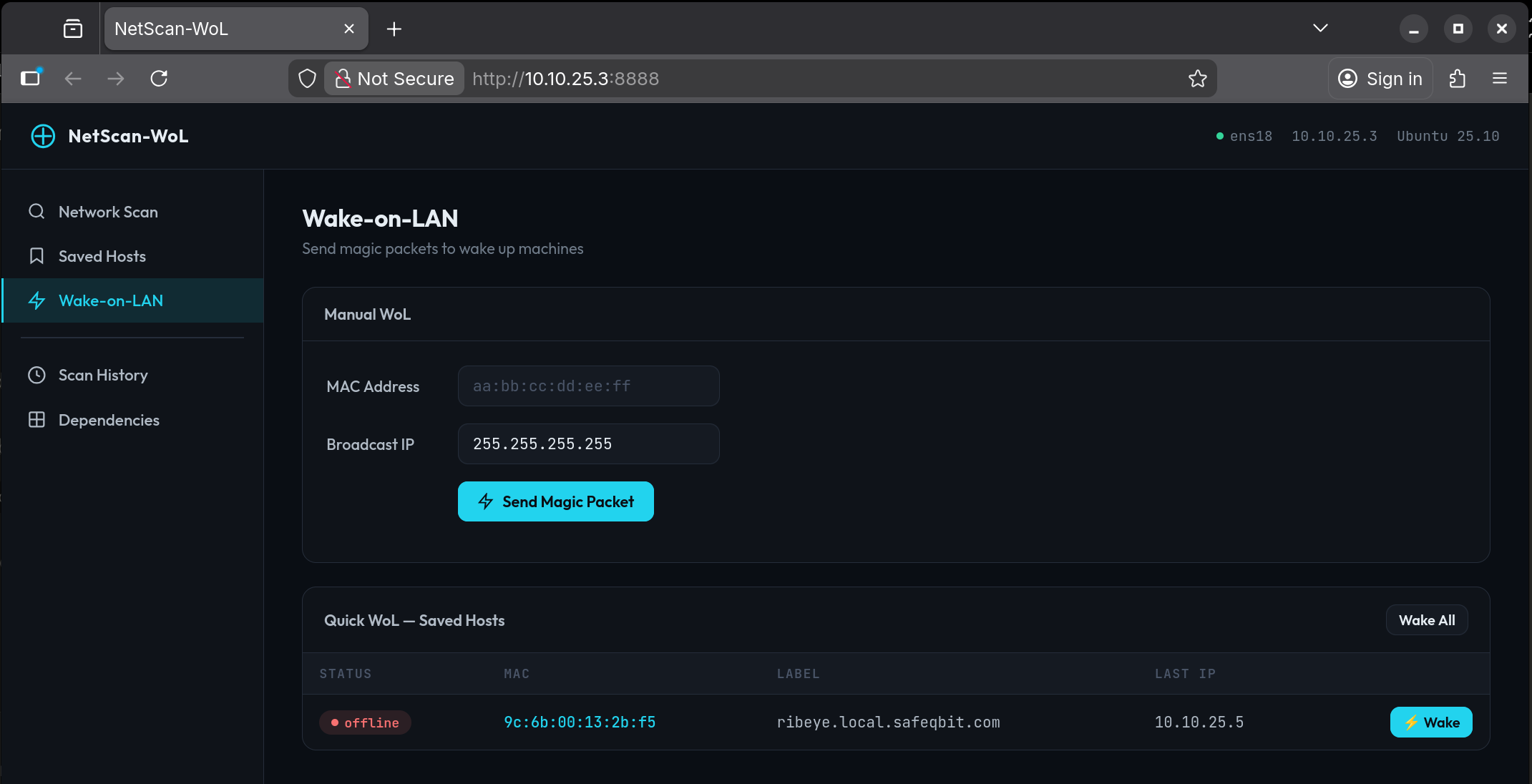
The web dashboard mirrors the CLI with five sections: Network Scan, Saved Hosts with live status indicators, Wake-on-LAN with manual MAC entry, Scan History, and a Dependencies status page. Both the CLI and web UI share the same data directory, so saved hosts and scan history stay in sync.
To remove the web service cleanly:
sudo ./netscan-wol.sh --web-uninstall
This stops the service, removes the unit file and install directory, but preserves your saved hosts and scan history.
You can also manage the web service from the interactive Settings menu (option 7), which shows live status, lets you restart or stop the service, or install/uninstall without leaving the TUI.
Why ARP Instead of Ping
A common approach to network discovery is ping sweeping, where you send ICMP echo requests to every address in the subnet and see who responds. The problem is that many hosts have their firewall configured to drop ICMP, so they simply don't show up. Windows machines in particular tend to block ping by default.
ARP operates at Layer 2. Every host on the broadcast domain must respond to ARP requests to participate in the network. There's no firewall rule that blocks it without also breaking connectivity. This means arp-scan catches everything: the Windows workstation with its firewall locked down, the IoT device with no ICMP responder, the printer that only speaks its own protocol. If it has an IP on the segment, ARP will find it.
Wrapping Up
NetScan-WoL is a straightforward tool that solves a practical problem. It finds machines on your network and wakes them up without juggling multiple commands or maintaining a separate MAC address list. It runs on any mainstream Linux distro, installs its own dependencies, and optionally gives you a web dashboard you can hit from any device on the network.
Both scripts are available together. Drop them in the same directory, run --install to get the dependencies, and you're set.
Getting the Script File
NetScan-WoL Github