Endpoint Protection on Windows: Understanding and Hardening Windows Defender
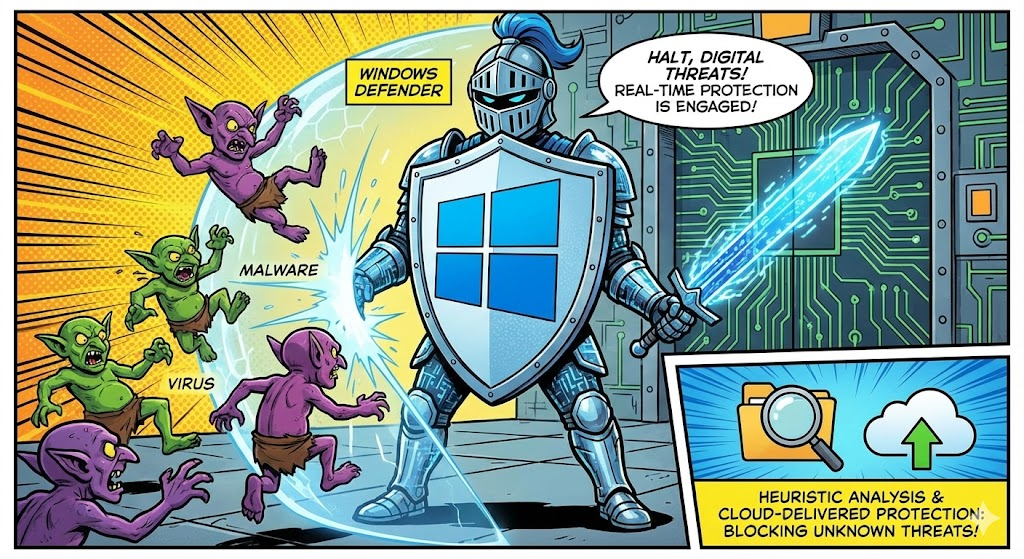
Windows Defender — now officially branded as Microsoft Defender Antivirus — has come a long way from the basic anti-spyware tool it once was. Today, it's a fully featured endpoint protection platform baked directly into Windows 10 and 11. For most users and even many professionals, it provides solid baseline protection out of the box. But "baseline" and "hardened" are two very different things.
Let's break down how Defender works, what it ships with by default, how you can tighten things up using DefenderUI, and how it compares — including its enterprise sibling, Microsoft Defender for Endpoint — against the top names in endpoint security and EDR.
How Does Windows Defender Work?
At its core, Defender operates using a layered detection approach:
Real-time protection continuously monitors file system activity, scanning files as they're created, opened, or downloaded. It hooks into Windows at the kernel level using its Early Launch Anti-Malware (ELAM) driver to start protecting the system before most other software loads.
Signature-based detection compares files and behaviors against a regularly updated database of known threats. Microsoft pushes security intelligence updates multiple times per day through Windows Update.
Heuristic and behavioral analysis watches for suspicious patterns — like a process trying to encrypt large numbers of files or injecting code into other processes — even if the specific malware signature isn't in the database yet.
Cloud-delivered protection sends suspicious file metadata (and optionally samples) to Microsoft's backend for rapid analysis. This allows Defender to leverage machine learning models and global telemetry to catch zero-day threats faster than local signatures alone.
Together, these layers give Defender a detection pipeline that handles everything from commodity malware to more sophisticated threats.
Default Configuration: "Not great, not terrible"

Out of the box, Defender's default settings prioritize compatibility and user experience over maximum security. Here's what you get by default:
- Real-time protection is enabled.
- Cloud-delivered protection is enabled, but sample submission is set to prompt or send safe samples only.
- Tamper protection is enabled, preventing unauthorized changes to Defender settings.
- Attack Surface Reduction (ASR) rules are mostly not configured. This is a big one — ASR rules are some of Defender's most powerful features, blocking things like Office macros spawning child processes or credential theft from LSASS, yet they're off by default.
- Network protection is disabled.
- Controlled folder access (ransomware protection) is disabled.
- PUA (Potentially Unwanted Application) blocking is off or in audit mode.
In short, the defaults protect you from known malware but leave significant attack surface unaddressed. Microsoft does this intentionally to avoid breaking applications or frustrating users with false positives, but it means there's room to improve.
Hardening Defender with DefenderUI
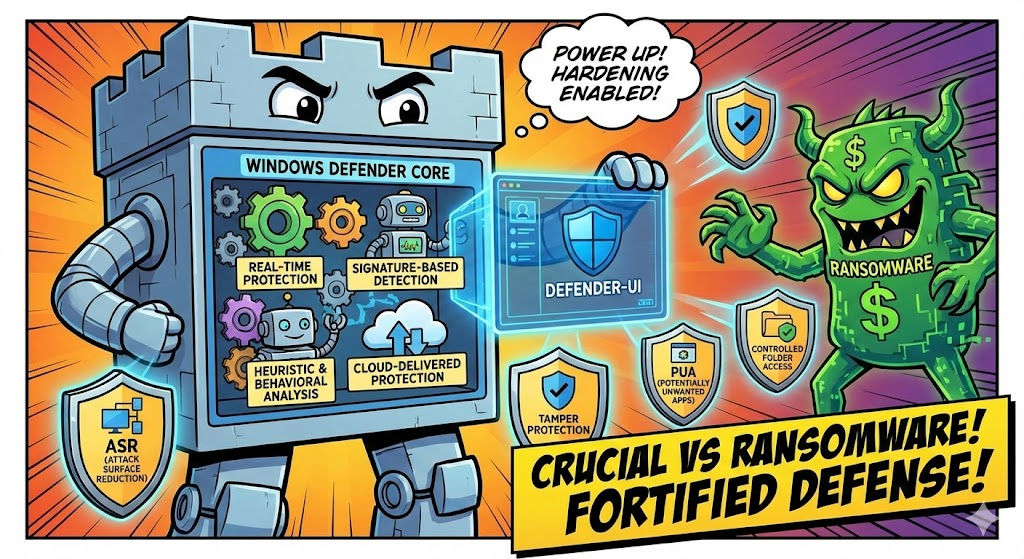
This is where DefenderUI comes in. DefenderUI is a free third-party tool that provides a clean graphical interface for the many Defender settings buried in Group Policy, PowerShell, or the registry. It doesn't replace Defender — it simply exposes its hidden knobs and dials.
After installing DefenderUI, you can choose from preset profiles (Recommended, Interactive, Aggressive, or Default) or customize individual settings. Here are the key areas to focus on:
Enable ASR rules. Switch critical rules to Block or Warn mode. Rules like "Block credential stealing from LSASS," "Block Office applications from creating child processes," and "Block executable content from email" dramatically reduce common attack vectors.
Turn on Network Protection. This extends Defender SmartScreen to all outbound HTTP/HTTPS traffic, blocking connections to known malicious or phishing domains system-wide — not just in Edge.
Enable Controlled Folder Access. This protects key directories (Documents, Desktop, Pictures, etc.) from unauthorized modifications, serving as an effective ransomware mitigation layer.
Set cloud protection to High or High+. This increases the aggressiveness of cloud-based scanning and extends the cloud block timeout, giving Microsoft's backend more time to analyze suspicious files before allowing them to execute.
Block PUAs. Switch PUA protection from audit to block mode to prevent adware and bundleware from installing.
How Does Hardened Defender Stack Up Against Paid Solutions?
Once you've hardened Defender, the natural question is: do I still need a paid endpoint protection or EDR product? Let's compare hardened Defender against some of the most popular options, grounded in real independent benchmark data.
A Note on Benchmarks
The comparison below draws from three primary sources:
- AV-TEST Institute — Scores products on Protection, Performance, and Usability (each out of 6, max total of 18). Products scoring 17.5+ earn "TOP PRODUCT" status.
- AV-Comparatives — Runs a Business Security Test with Real-World Protection and Malware Protection tests, reporting actual block rates and false positive counts.
- MITRE ATT&CK Evaluations: Enterprise — Simulates real-world adversary TTPs (tactics, techniques, and procedures) against EDR solutions, measuring detection coverage across attack stages. MITRE does not rank vendors, but the raw data reveals detection gaps clearly.
Not all products participate in all tests. Huntress, for example, doesn't compete in traditional AV benchmarks because it operates in a fundamentally different category. CrowdStrike did not participate in the 2024 MITRE ATT&CK evaluation. And notably, Microsoft, SentinelOne, and Palo Alto Networks all pulled out of the 2025 MITRE evaluations, citing a shift toward prioritizing product development — though industry observers have speculated about other motivations.
Default Windows Defender
This is the baseline everyone starts with. Signature-based detection, basic real-time protection, and cloud lookups. It catches known commodity malware reliably, but with ASR rules off, no network protection, and no controlled folder access, it leaves gaps that any moderately sophisticated attacker can walk through. There's no centralized management, no incident response tooling, and no threat hunting capability. It's antivirus, not EDR.
Best for: Casual home users who practice reasonable browsing habits.
Hardened Windows Defender (via DefenderUI)
Enabling ASR rules, network protection, controlled folder access, and aggressive cloud scanning transforms Defender into something meaningfully more capable. You now have ransomware mitigation, credential theft protection, macro abuse blocking, and system-wide phishing domain filtering.
The benchmark numbers back this up. In the AV-TEST March–August 2025 endurance test (consumer), Microsoft Defender achieved 100% detection in both the real-world and reference set tests — matching Bitdefender, ESET, and Kaspersky. It scored 17.8 out of 18 overall, losing a fraction only for some false positive detections on harmless files. In the AV-TEST November–December 2025 business endpoint test, the enterprise-configured Microsoft Defender Antivirus earned a perfect 18/18 (6/6 Protection, 6/6 Performance, 6/6 Usability), receiving TOP PRODUCT recognition.
The gap that remains: there's no EDR telemetry, no centralized alerting dashboard, no automated investigation and response, and no managed threat hunting. You're protected, but you're blind to what's happening across endpoints.
Best for: Security-conscious home users, homelabs, and small environments without budget for paid EDR.
Microsoft Defender for Endpoint (MDE)
Microsoft Defender for Endpoint is not just "Defender with extra settings." It's a full enterprise EDR platform that shares the same underlying antivirus engine but adds an entirely different layer of capability on top.
MDE streams rich endpoint telemetry to the Microsoft 365 Defender portal, giving security teams centralized visibility across every enrolled device. You get automated investigation and response (AIR), which can autonomously triage alerts, correlate related events, and take remediation actions like isolating compromised endpoints or quarantining malicious files — without human intervention.
The advanced hunting feature provides a KQL-based query engine across 30 days of raw telemetry data, letting analysts proactively hunt for threats across the environment. MDE also unlocks the full potential of ASR rules with proper reporting and audit capabilities, endpoint vulnerability management, web content filtering, and tight integration with Microsoft's broader security stack — Entra ID, Intune, Defender for Identity, Defender for Cloud Apps, and Sentinel SIEM.
The benchmark results for the full MDE/Defender XDR platform are strong. In the 2024 MITRE ATT&CK Evaluations: Enterprise, Microsoft Defender XDR achieved 100% technique-level detection across all attack stages — covering Windows, Linux, and macOS — with zero false positives. This was Microsoft's sixth consecutive year of industry-leading results in MITRE evaluations. In the AV-Comparatives Business Security Test (August–November 2025), Microsoft Defender Antivirus with MEM scored a 99.1% real-world protection rate across 461 test cases. Not perfect, but competitive with the field. Microsoft also passed AV-Comparatives' 2025 Anti-Tampering Test with a 100% success rate, thwarting all attempts to disable or bypass its protections.
The catch: MDE requires Microsoft 365 E5, E5 Security, or a standalone Defender for Endpoint Plan 2 license — roughly $5–$12 per user/month depending on your licensing bundle. Plan 1 exists at a lower price point but strips out most of the EDR features, leaving you with essentially hardened Defender managed through Intune.
Best for: Organizations already invested in the Microsoft ecosystem that want enterprise EDR without deploying a third-party agent.
Huntress EDR
Huntress takes a different approach — it focuses heavily on the post-exploitation phase. Rather than trying to block every threat at the door, Huntress assumes breaches will happen and concentrates on detecting persistence mechanisms, footholds, and lateral movement. It's backed by a 24/7 human SOC that triages alerts and sends actionable incident reports.
Huntress pairs well with an antivirus layer (including Defender) since it's not trying to replace traditional AV — it's filling the detection gap that AV leaves behind. It's particularly popular with MSPs managing many small business environments.
Huntress does not participate in traditional AV benchmarks like AV-TEST or AV-Comparatives because it operates in a different category — it's not an antivirus replacement, it's an MDR layer. Its value is measured in mean time to detect persistence and respond to incidents, not malware block rates.
Best for: MSPs and SMBs wanting managed detection and response without enterprise complexity or pricing.
SentinelOne EDR
SentinelOne is a full autonomous EDR/XDR platform. Its standout feature is the Storyline engine, which maps process trees and event chains into visual attack narratives in real time. It offers automated response actions — isolating endpoints, killing processes, rolling back ransomware changes — without waiting for a human analyst.
SentinelOne operates with a local AI agent that can detect and respond even when the endpoint is offline, which is a significant advantage over cloud-dependent solutions. It provides deep telemetry, threat hunting tools, and optional managed detection (Vigilance MDR).
In the 2024 MITRE ATT&CK Evaluations: Enterprise, SentinelOne detected 100% of all 16 attack steps and 80 substeps with zero delays and no configuration changes. Critically, it generated 88% fewer alerts than the median across all participating vendors — demonstrating the platform's ability to maintain complete visibility without drowning analysts in noise. SentinelOne does not typically participate in AV-TEST or AV-Comparatives consumer tests, as it is positioned as an enterprise EDR/XDR platform.
Best for: Mid-size to enterprise organizations needing autonomous response and deep forensic visibility.
Kaspersky Endpoint Security
Kaspersky consistently scores at the top of independent detection benchmarks. Its multi-layered engine combines signature scanning, behavioral analysis, exploit prevention, and a robust application control module. The Endpoint Detection and Response component (available in higher tiers, marketed as Kaspersky Next EDR Foundation) adds incident visualization and response capabilities.
The numbers speak for themselves. In the AV-TEST March–August 2025 endurance test, Kaspersky achieved 100% detection in both the real-world and reference set tests with zero false positives, earning a perfect 18/18. In the AV-Comparatives 2025 annual summary, Kaspersky earned a Top-Rated Product Award with Advanced+ ratings in all seven tests conducted throughout the year. It also received the Gold Award for Malware Protection and Low False Positives — producing only 9 false positives across all 2025 tests, the lowest of any vendor tested.
The elephant in the room: geopolitical concerns. Multiple governments have banned or restricted Kaspersky products over ties to the Russian government. Whether this matters to you depends on your threat model and regulatory environment, but it's a factor that can't be ignored when evaluating it for any environment handling sensitive data.
Best for: Users or organizations prioritizing raw detection rates who are comfortable with the geopolitical considerations.
CrowdStrike Falcon
CrowdStrike is the industry benchmark for cloud-native EDR. Its lightweight Falcon sensor streams endpoint telemetry to CrowdStrike's Threat Graph, a massive cloud analytics engine that correlates events across millions of endpoints globally. This gives CrowdStrike exceptional visibility into emerging attack campaigns and threat actor behavior.
Falcon provides threat hunting (OverWatch), managed response, vulnerability management, and identity protection — all from the same agent. In the AV-Comparatives Business Security Test (August–November 2025), CrowdStrike Falcon Pro achieved a 99.3% real-world protection rate — slightly above Microsoft's 99.1% but below the 100% achieved by vendors like Elastic and Kaspersky. AV-Comparatives did note that CrowdStrike had above-average false positives on non-business software in this test cycle.
CrowdStrike notably did not participate in the 2024 MITRE ATT&CK Evaluations: Enterprise, with timing around the July 2024 global outage cited as a possible factor. AV-Comparatives categorizes CrowdStrike alongside Cisco, Elastic, and Trellix as solutions offering "exceptionally powerful tools" best suited for complex, high-growth organizations.
The trade-off is cost: CrowdStrike is one of the most expensive options, and its full value is realized at scale with dedicated security staff interpreting the data.
Best for: Enterprises with mature security operations that need best-in-class detection, threat intelligence, and managed hunting.
The Bottom Line
| Solution | AV-TEST Score | AV-Comparatives Real-World Protection | MITRE ATT&CK 2024 Detection | EDR Telemetry | Managed SOC | Cost |
|---|---|---|---|---|---|---|
| Defender (Default) | 17.8/18 (consumer) | N/A (consumer not tested separately) | N/A | None | No | Free |
| Defender (Hardened) | 17.8/18 (consumer) | N/A | N/A | None | No | Free |
| Defender for Endpoint | 18/18 (enterprise) | 99.1% (461 cases, H2 2025) | 100% technique detection, 0 FPs | Full (advanced hunting) | Optional (Experts) | $$–$$$ |
| Huntress | Not tested (different category) | Not tested | Not tested | Post-exploitation focused | Yes (24/7) | $$ |
| SentinelOne | Not tested (enterprise EDR) | Not tested | 100% (80/80 substeps), 88% fewer alerts | Full Storyline | Optional (MDR) | $$$ |
| Kaspersky | 18/18 | Top-Rated, Gold for Malware & Low FPs (9 total FPs in 2025) | Participated 2023 (strong results) | Available (higher tiers) | Optional | $$ |
| CrowdStrike Falcon | Not tested by AV-TEST | 99.3% (H2 2025), above-avg FPs noted | Did not participate (2024) | Full Threat Graph | Yes (OverWatch) | $$$$ |
Hardened Defender is a genuinely strong free option — it closes most of the gaps that make default Defender insufficient, and the independent benchmark numbers confirm it competes with paid products on raw detection. But it's still fundamentally an antivirus with extra rules, not an EDR.
Defender for Endpoint bridges that gap within Microsoft's ecosystem, and its 100% technique-level detection in MITRE 2024 with zero false positives is a compelling data point. But it comes with licensing costs and assumes you have the operational maturity — or a managed service — to use it effectively.
If you're already in a Microsoft 365 E5 environment, MDE is the natural choice before looking at third-party agents. If you need best-in-class autonomous detection regardless of ecosystem, SentinelOne's MITRE results (100% detection, 88% less noise) make a strong case. Kaspersky's benchmark dominance is hard to ignore if your threat model allows for it. And CrowdStrike remains the go-to for enterprises that want the deepest threat intelligence and managed hunting — if budget permits.
For homelabs and personal use, hardened Defender is hard to beat on value, combine Defender UI with 0Patch along side Identity hardening with Duo for both Logon and UAC elevation and you got yourself a pretty good layered security approach without spending a dime. Make sure to read my article about Identity hardening for Linux, Mac, and Windows here.
For business environments where a breach has real financial consequences, the decision comes down to your existing stack, your team's capabilities, and your budget.
Benchmark sources: AV-TEST Institute (Mar–Aug 2025 endurance test; Nov–Dec 2025 business endpoint test), AV-Comparatives (Business Security Test H1 & H2 2025; 2025 Summary Report), MITRE ATT&CK Evaluations: Enterprise 2024. Scores reflect the test periods cited and may change in future evaluations.