Docker Networking: Bridge vs Macvlan for Segmented Environments
Docker networking is easy to ignore until you start caring about isolation, clean IP addressing, and firewall-controlled access. At that point, the default bridge network often stops being my favorite choice.
This article briefly covers Docker’s default networking behavior and then focuses on macvlan adapters; how it works, why it’s useful, and how it fits into a segmented, security-focused network design.
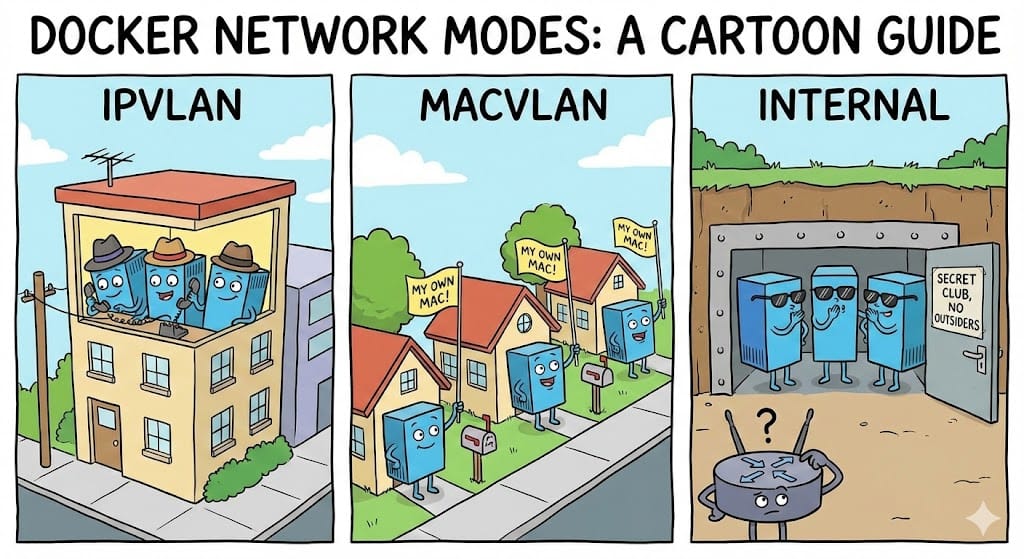
Docker’s Default Network: Bridge
By default, Docker places containers on a Linux bridge (docker0). Containers receive private IPs (usually 172.17.0.0/16) and traffic is NATed through the host.
Why this works well:
- No configuration required
- Containers can communicate easily
- Host access is simple
Where it falls short:
- Containers are hidden behind NAT
- Port mappings become difficult to manage at scale
- Poor fit for environments that rely on IP-based firewall rules
Where Macvlan Fits In
Macvlan connects containers directly to a physical interface. Each container:
- Has its own MAC address
- Receives an IP from your DHCP network service
- Is reachable without port forwarding
This makes macvlan a good fit when containers need to behave like normal networked systems rather than processes hidden behind the Docker host.
Creating a Macvlan Network
docker network create -d macvlan \
  --subnet=192.168.50.0/24 \
  --gateway=192.168.50.1 \
  -o parent=eth0 \
  macvlan50
Containers attached to this network receive IPs from 192.168.50.0/24.
Using Macvlan in Docker Compose
version: "3.9"

services:
  nginx:
    image: nginx:alpine
    container_name: nginx-macvlan
    restart: unless-stopped
    networks:
      macvlan50:
        ipv4_address: 192.168.50.20

networks:
  macvlan50:
    external: true
No ports are published, the service is reachable directly via its LAN IP.
Macvlan Host Isolation
By design, the Docker host cannot communicate with macvlan containers. This is intentional Linux macvlan behavior and not a Docker bug.
From a security perspective, this creates a clean boundary:
- Containers cannot directly reach host services
- Host services are not implicitly exposed to containers
If host access is required, it must be added explicitly with a macvlan interface on the host.
From My Experience: Why I Prefer Macvlan
From my experience, macvlan works best when containers are placed into a dedicated, segmented VLAN.
In my environment:
- Containers live in their own VLAN
- The VLAN is tagged on a MikroTik switch
- Firewall rules and address lists control all inter-network access
Every allowed connection is intentional. Nothing is reachable simply because it runs on the same Docker host. This scales cleanly and keeps firewall policy readable as the number of containers grows.
Mixing Macvlan with Internal Networks
Not every container needs LAN access. A common pattern is:
- Application container on macvlan
- Database on an internal Docker bridge
version: "3.9"

services:
  app:
    image: example/app:latest
    container_name: app-macvlan
    networks:
      macvlan50:
        ipv4_address: 192.168.50.30
      backend:
    environment:
      DB_HOST: db

  db:
    image: postgres:16-alpine
    container_name: app-db
    networks:
      backend:

networks:
  macvlan50:
    external: true
  backend:
    driver: bridge
    internal: true
The application is reachable on the LAN; the database is not.
Why I Don’t Put Databases on Macvlan
Databases rarely need direct LAN access. Putting them on macvlan increases exposure without providing real benefit.
Keeping databases on an internal Docker network:
- Removes them from the physical network
- Limits access to explicitly connected services
- Reduces blast radius if something is misconfigured
This mirrors traditional tiered network design and keeps data services where they belong.
Final Thoughts
Docker’s default networking favors convenience. Macvlan favors clarity and control.
When containers have real IP addresses, live in dedicated VLANs, and are governed by explicit firewall rules, Docker fits cleanly into security-focused environments. It requires more planning, but that planning is exactly what enforces good network hygiene.